Your Phone Is Drowning and You're Standing on the Shore Eating Snacks
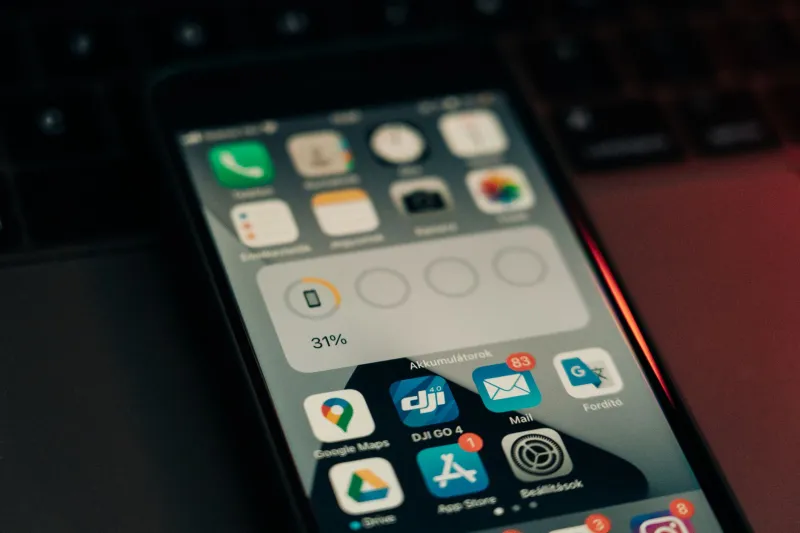
At some point in the last 48 hours, your phone sent you a message. Not from a person — from itself. A small, desperate rectangle of text that read something like "Storage Almost Full — You may not be able to take photos or receive messages." And you looked at it, felt a tiny pang of something resembling guilt, and then immediately opened Instagram.
This is fine. This is totally fine.
Except it isn't, and somewhere deep in the silicon soul of your device, a tiny digital scream is echoing through 47 gigabytes of photos you took of your brunch in 2019.
The Notification You've Been Ghosting for Six Months
Here's what makes the storage warning uniquely cruel among all phone notifications: it doesn't want anything from you. It's not trying to sell you something. It's not a social media platform begging for your attention. It's just your phone, sitting there, quietly suffocating, asking you — begging you — to please, for the love of all things holy, delete the duplicate photos of your dog.
And yet.
The average American ignores this notification approximately 200 times before doing anything about it. That's not a real statistic. But it feels real, doesn't it? It resonates. Because we all know what happens when we finally open that storage settings page and stare into the abyss of our own digital accumulation. The abyss stares back. The abyss is 23GB of WhatsApp cache and a folder called "Important Docs" containing one blurry picture of a Cheesecake Factory menu.
A Forensic Breakdown of What's Actually Eating Your Storage
Let's do the autopsy nobody asked for.
Photos & Videos are, without exception, the serial killer of phone storage. Not because you took important photos. Because you took four hundred nearly identical photos of the same sunset, planning to "pick the best one later," and later never came. Later is a myth. Later is a lie your past self told your future self while clicking the shutter button seventeen times in six seconds.
Then there's the 2015 photo library problem — a specific genus of digital hoarding that afflicts anyone who's owned a smartphone for more than five years. Somewhere in your camera roll is a complete archaeological record of a version of yourself you barely recognize. Old apartments. Old haircuts. Old relationships. Old memes you screenshotted because you were going to send them to someone and then didn't. You can't delete these. Not because they're valuable. But because doing so feels like performing surgery on your own memory, and you didn't schedule that today.
Apps are the second-greatest offender, and they deserve their own reckoning.
The Tier List of Apps by How Guilty You Feel Deleting Them
Not all uninstalls are created equal. Some apps leave quietly. Others make you feel like a monster.
Tier S — Zero Guilt, Pure Liberation: Flashlight apps from 2013. Any app with the word "cleaner" in the name that definitely made things worse. That barcode scanner you downloaded once at a farmers market and never opened again. Gone. Deleted. No ceremony required.
Tier A — Mild Twinge, Recoverable: Food delivery apps from services that no longer operate in your city. Workout apps you opened twice in January. A podcast app you used for exactly one road trip. You'll feel a brief flicker of "but what if," and then you'll be fine. You're going to be fine.
Tier B — Genuine Hesitation: The game you haven't played in eight months but still have 47 lives saved in. The language learning app where you're on a 200-day streak you never actually maintained but the app lied to you about. The photo editing app you paid $4.99 for in 2018 and have opened a total of three times.
Tier C — This Is Harder Than It Should Be: Any app tied to a subscription you forgot you were paying for. Deleting it feels like admitting you wasted money, which you did, but acknowledging that requires a level of self-awareness you're not emotionally prepared for at 11pm on a Tuesday.
Tier D — You Will Not Delete This App and We Both Know It: Your bank app, even though you haven't checked your balance since the last time you were scared to check your balance. The notes app containing a grocery list from 2021, three unfinished song lyrics, and a note that just says "LOOK INTO THIS" with no further context. The camera app, obviously, which is currently the reason you're in this situation.
Tier F — Untouchable, Immortal, Cursed: The phone's pre-installed apps you cannot delete no matter what you do. Stocks. Tips. The Measure app. These apps came with your phone like a cursed heirloom, and they will be there when the phone dies, mocking you from the grave.
The "Just In Case" Delusion and Why It's Destroying Us
The real villain of the storage crisis isn't laziness. It's contingency thinking — the deeply human, deeply irrational belief that you will one day need that QR code you screenshotted from a restaurant that closed two years ago.
We keep apps "just in case" we need to scan a document. Just in case we want to learn Portuguese. Just in case there's another pandemic and we need that specific meditation app again. Just in case we want to track our water intake. We are building digital bunkers for scenarios that will never occur, and our phones are collapsing under the weight of our preparedness fantasies.
The truth — and this is going to sting — is that 80% of the storage on your phone is a monument to who you thought you were going to be. The runner. The photographer. The person who reads long-form articles offline. The chef who needed seventeen recipe apps. That person had ambitions. That person had plans. That person also had 4GB free and a can-do attitude.
The Actual Fix Nobody Wants to Hear
You already know what to do. You've known for six months. You open Photos, you enable iCloud or Google Photos backup, you delete the local copies, you go through the apps one by one with the cold efficiency of someone who has finally made peace with who they are and who they are not.
You will not do this today.
You might do it this weekend, when you're bored and slightly caffeinated and feeling uncharacteristically decisive. Or you'll buy a new phone and transfer everything over, including all the junk, like a digital hoarder moving to a bigger house and bringing every broken appliance with them.
Either way, the notification will return. It always returns. Your phone will tap you on the shoulder again, patient as a saint, and whisper: Storage Almost Full.
And you'll look at it, feel that familiar pang, and open TikTok.
This is fine. This is totally, completely fine. The phone understands. The phone has accepted its fate. Have you?